

Keeping dependencies current is easy to agree on and hard to do consistently. In .NET solutions that use Aspire, the challenge is not only updating NuGet packages, but also keeping the Aspire SDK version in AppHost projects aligned with the latest stable release.
Dependabot is great for broad dependency automation, but with Aspire it has two practical limitations: it creates many small pull requests, and it does not update the Aspire SDK (Aspire.AppHost.Sdk) in the project Sdk attribute.
To close that gap, I added a dedicated GitHub Actions workflow that runs aspire update on a schedule and creates a single pull request when SDK and/or Aspire packages change.
Why aspire update helps
aspire update is purpose-built for Aspire repositories:
- Updates
Aspire.AppHost.Sdkin the projectSdkattribute - Updates
Aspire.*package references to the latest stable version - Applies updates consistently across the solution
This gives a cleaner and more Aspire-aware update process than many individual Dependabot PRs.
The workflow
The workflow runs every three days at 6:00 AM UTC and can also be started manually from the Actions tab.
name: Aspire SDK Update

# Triggers:
# - Automatically runs every three days at 6 AM UTC starting on the 1st of each month
# - Can be manually triggered from the Actions tab using workflow_dispatch
on:
  schedule:
    - cron: '0 6 */3 * *'  # 6 AM UTC every three days
  workflow_dispatch:

permissions:
  contents: write
  pull-requests: write

env:
  DOTNET_VERSION: '10.0.x'

jobs:
  aspire-update:
    runs-on: ubuntu-latest
    timeout-minutes: 30

    steps:
    - name: Checkout repository
      uses: actions/checkout@v6

    - name: Setup .NET
      uses: actions/setup-dotnet@v5
      with:
        dotnet-version: ${{ env.DOTNET_VERSION }}

    - name: Install Aspire CLI
      run: dotnet tool install --global aspire.cli

    - name: Run aspire update
      # aspire update scans for AppHost projects, updates the Aspire.AppHost.Sdk
      # version in the .csproj Project Sdk attribute, and updates all Aspire.*
      # NuGet package references to the latest stable release.
      # --yes auto-confirms all prompts; --non-interactive disables spinners/interactivity.
      # Both flags are required for reliable CI/CD execution.
      working-directory: src
      run: |
        echo "🔄 Running aspire update..."
        aspire update --non-interactive --yes
        echo "✅ aspire update completed."

    - name: Check for changes
      id: changes
      run: |
        CHANGES=$(git status --porcelain)
        if [ -n "$CHANGES" ]; then
          echo "has_changes=true" >> $GITHUB_OUTPUT
          echo "📝 Changes detected in Aspire SDK/package files:"
          git diff --stat
        else
          echo "has_changes=false" >> $GITHUB_OUTPUT
          echo "✅ No changes detected — Aspire SDK and packages are already up to date"
        fi

    - name: Cache NuGet packages
      if: steps.changes.outputs.has_changes == 'true'
      uses: actions/cache@v5
      with:
        path: ~/.nuget/packages
        key: ${{ runner.os }}-nuget-${{ hashFiles('**/*.csproj') }}
        restore-keys: |
          ${{ runner.os }}-nuget-

    - name: Restore dependencies
      if: steps.changes.outputs.has_changes == 'true'
      run: dotnet restore src/CNInnovationWeb.slnx

    - name: Build solution
      if: steps.changes.outputs.has_changes == 'true'
      run: dotnet build src/CNInnovationWeb.slnx --no-restore --configuration Release

    - name: Run unit tests
      if: steps.changes.outputs.has_changes == 'true'
      run: |
        cd src/CNInnovationWeb.Tests
        dotnet test --project CNInnovationWeb.Tests.csproj --no-build --configuration Release --verbosity normal

    - name: Create pull request
      if: steps.changes.outputs.has_changes == 'true'
      uses: peter-evans/create-pull-request@5f6978faf089d4d20b00c7766989d076bb2fc7f1  # v8.1.1
      with:
        commit-message: "chore: update Aspire SDK and packages"
        title: "chore: automated Aspire SDK and package update"
        body: |
          ## Automated Aspire SDK and Package Update

          This pull request was automatically created by the [Aspire SDK Update](${{ github.server_url }}/${{ github.repository }}/actions/runs/${{ github.run_id }}) workflow.

          ### What changed?
          The [Aspire](https://aspire.dev/docs/) SDK version (in `Aspire.AppHost.Sdk`) and/or one or more `Aspire.*` NuGet package references have been updated to their latest stable releases.

          ### Verification
          - ✅ Solution builds successfully
          - ✅ Unit tests pass

          ### Next steps
          1. Review the updated SDK and package versions in the changed `.csproj` files.
          2. Consult the [Aspire release notes](https://github.com/dotnet/aspire/releases) for any breaking changes or migration steps.
          3. Run the application locally and verify Aspire orchestration still works as expected.
          4. Merge this PR if everything looks good.

          ---
          *This PR was created automatically. See [docs/ci.md](docs/ci.md) for more information.*
        branch: automated/aspire-update
        delete-branch: true
        labels: |
          dependencies
          automated
GitHub Actions used in this workflow
This workflow combines a few standard actions with one key automation action:
actions/checkout@v6actions/setup-dotnet@v5actions/cache@v5peter-evans/create-pull-request@v8(pinned to a commit SHA in the workflow)
checkout checks out the repository so the job can inspect and modify files. setup-dotnet ensures the right .NET SDK is available to run the Aspire CLI and build/test commands. cache optimizes the workflow by caching NuGet packages based on the hash of all .csproj files, which means the cache is automatically invalidated when package references change. create-pull-request handles the entire Git flow of creating a branch, committing changes, pushing to the repository, and opening/updating a PR with the specified title, body, and labels.
Why create-pull-request is important here
Without this action, the workflow could update files in the runner, but those changes would be lost when the job ends. create-pull-request handles the full Git flow automatically:
- Creates (or reuses) a branch (
automated/aspire-update) - Commits the changed files with your message
- Pushes the branch to the repository
- Opens or updates a PR with your title/body/labels
- Optionally deletes the branch after merge (
delete-branch: true)
In this workflow, it only runs when actual file changes are detected (if: steps.changes.outputs.has_changes == 'true'). That prevents empty or noisy PRs.
Inputs used for create-pull-request
commit-message: Git commit message for the automated update committitle: Pull request titlebody: Detailed PR description with verification and next stepsbranch: Fixed branch name for update PRsdelete-branch: Cleans up branch after PR mergelabels: Adds metadata (dependencies,automated) for filtering and triage
This makes the update flow predictable and reviewer-friendly: Aspire updates are grouped, validated, and presented in one consistent PR.
What this improves over Dependabot for Aspire
Dependabot is still useful, but for Aspire specifically this workflow gives better maintenance:
- Handles Aspire SDK updates (Dependabot does not)
- Groups Aspire SDK/package changes into one reviewable PR
- Verifies changes with restore, build, and unit tests before proposing updates
- Runs on schedule and on demand
Result in practice
The workflow creates a PR only when updates are needed. Here is an example:
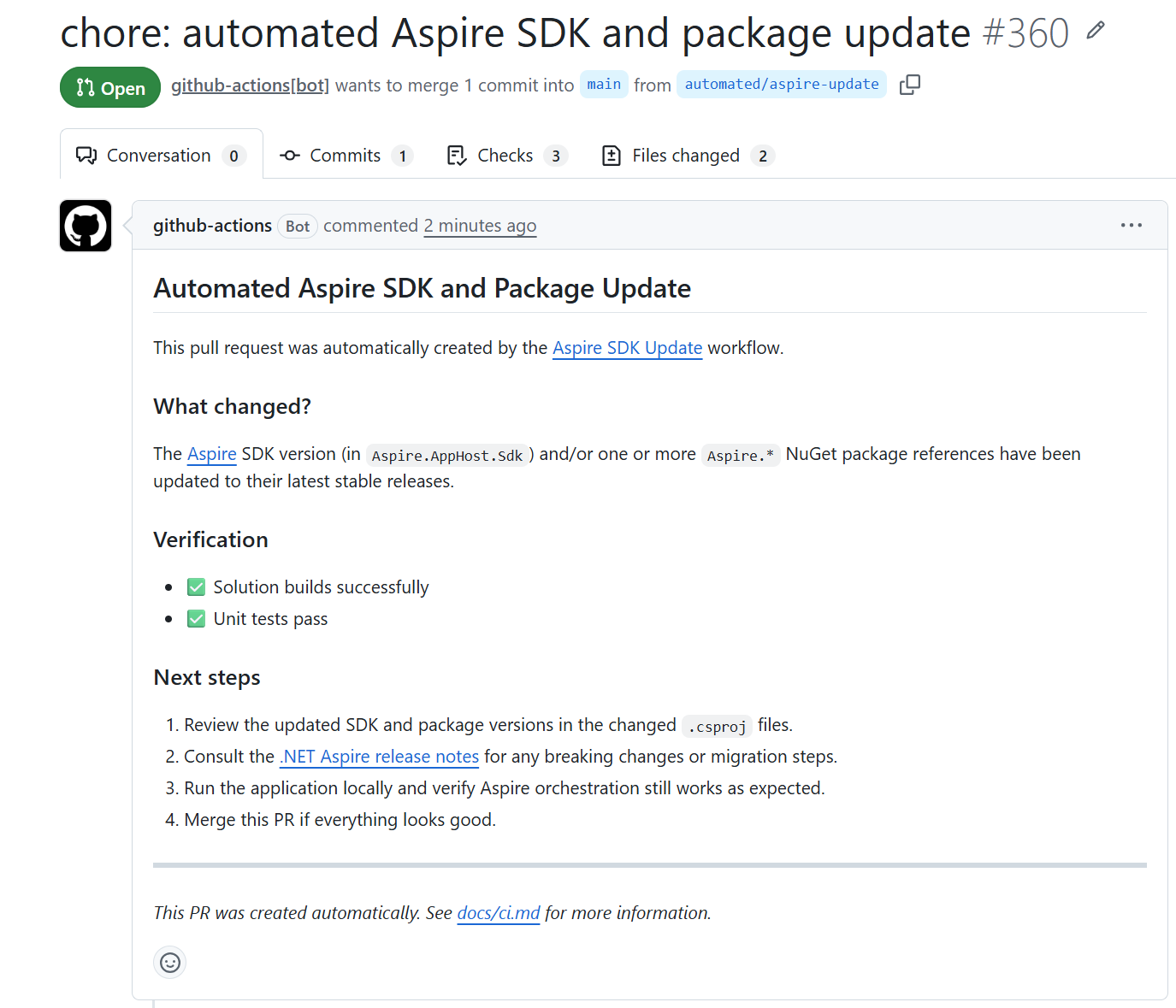
I can approve and merge this PR with confidence because the workflow already verified that the solution builds and tests pass with the new Aspire versions. The PR description also guides me through reviewing the changes and checking release notes for any important updates. With the approval, the next workflow is triggered to publish the new version of the website with the updated Aspire SDK and packages to the test environment.
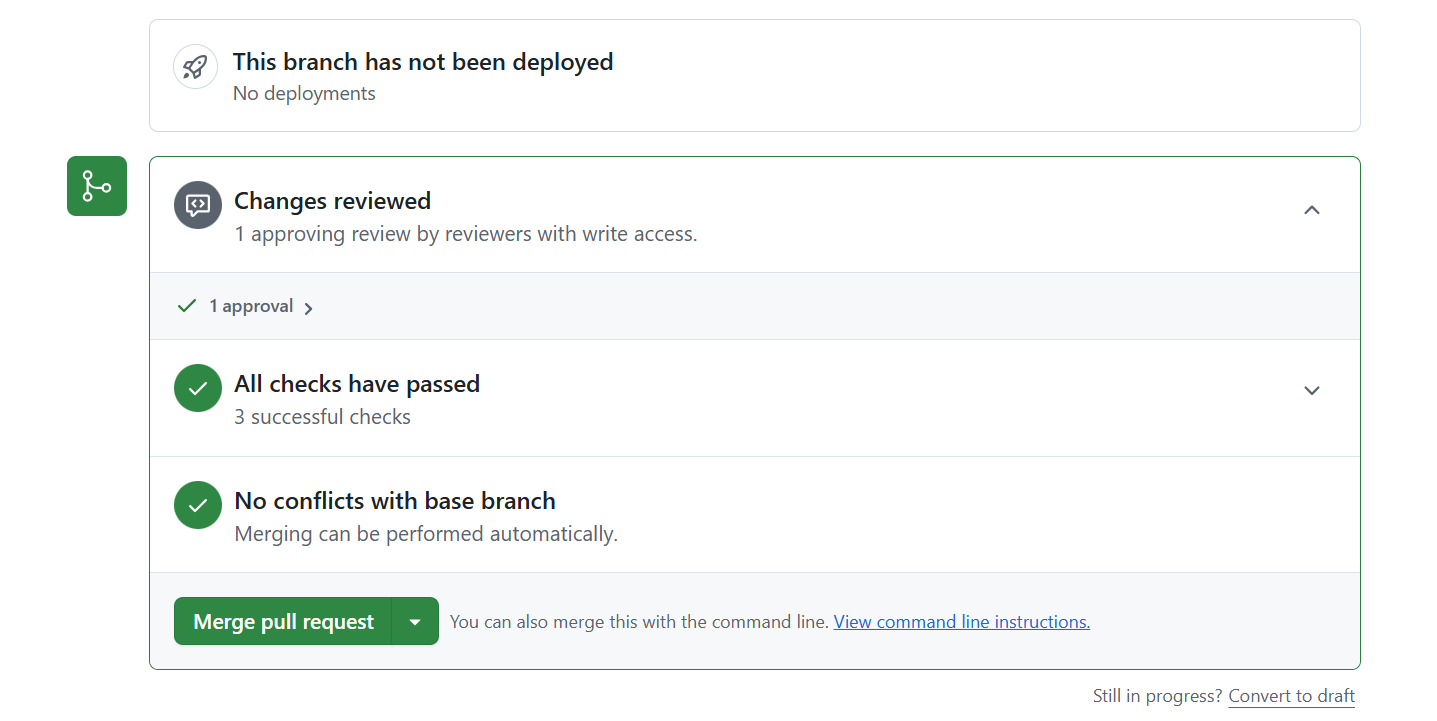
This keeps Aspire infrastructure current with less manual work and fewer noisy dependency PRs.
Summary
If your app uses Aspire, adding an aspire update workflow is a practical complement to Dependabot. Dependabot continues handling broad dependency updates, while the Aspire workflow closes the SDK gap and keeps AppHost and Aspire packages aligned.
Links
Your turn
Do you use Dependabot today? Are you already building apps with Aspire? And did this workflow approach help you improve your update process?
I’d love to hear how you handle dependency and SDK updates in your projects.
The blog image was created with AI. The workflow (created with the help of GitHub Copilot) is based on the implementation for the CN innovation website, which is built with Aspire.




Leave a Reply