
.NET Aspire makes it so much easier to develop, deploy, and monitor a microservices solution – and it’s updated at a fast pace. Now .NET Aspire 9.2 is released!
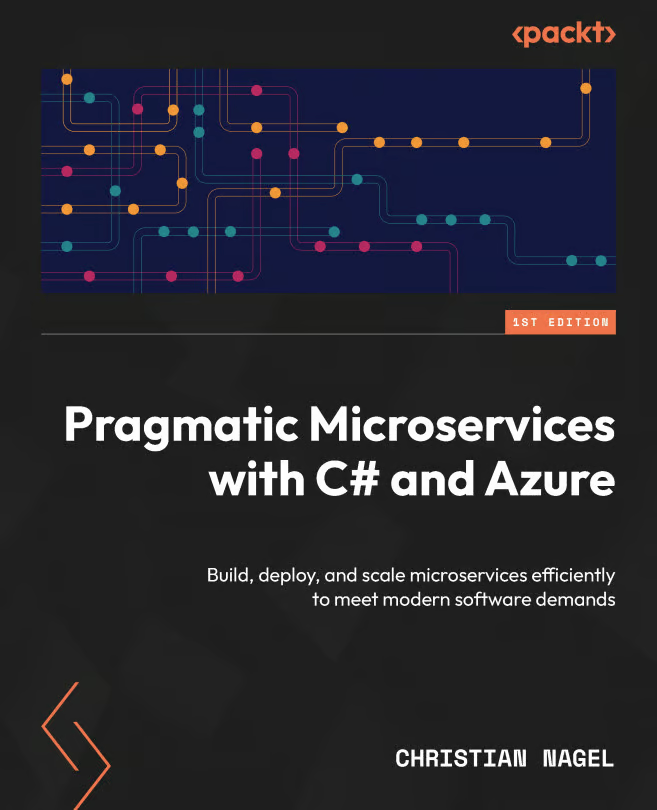
With this update pace, my book is not standing behind. The books repository of Pragmatic Microservices with C# and Azure is continuously updated as well. Other than just updates, I’m also adding new .NET Aspire features which perfectly fit well to the Codebreaker solution.
Let’s dive into what’s changed with the recent versions, and how this enhances the books sample solution.
> In this article series, we’ll explore the latest updates in .NET Aspire 9.2 and how they enhance microservices development. We’ll look at specific improvements and new features through the lens of the Codebreaker application, which serves as the main example in my book Pragmatic Microservices with C# and Azure. The first article covers the first part of the book: Creating Microservices with .NET.
.NET Aspire Versions at fast pace
What does fast pace mean in regard to .NET Aspire? After the initial release of .NET Aspire (version 8.0) on May 21, 2024, new versions were added every few month (https://github.com/dotnet/aspire/releases?WT.mc_id=DT-MVP-10160):
- May 21, 2024 – 8.0 – initial release
- Jul 23, 2024 – 8.1
- Aug 29, 2024 – 8.2
- Nov 13, 2024 – 9.0
- Feb 25, 2025 – 9.1
- Apr 10, 2025 – 9.2
> While .NET Aspire itself is updating at a fast pace and doesn’t offer LTS or STS support length, .NET Aspire can be used with .NET 8 (LTS) and .NET 9 (STS)!
To make it easier to support that fast changes, i switched the books repository to Central Package Management:
Central Package Management
The repository now makes use of Central Package Management (CPM). No longer, a project specifies the versions of the packages used. Instead, the common file Dirctory.Packages.props (which is located in the root folder of the repository) specifies the versions of all packages. This made it a lot easier to update to .NET Aspire 9.0, 9.1, and 9.2!
After updating packages in one file, breaking changes still need to be fixed with all projects.
Of course, there’s one chapter which doesn’t use CPM. In chapter 1, where we look at what’s in the templates creating .NET Aspire projects, CPM is not used. This is done by using a Directory.Packages.props file in the folder of the chapter (Directory.Packages.props):
<Project>
  <PropertyGroup>
    <ManagePackageVersionsCentrally>
      false
    </ManagePackageVersionsCentrally>
  </PropertyGroup>
</Project>
Chapter 1 – Introduction to .NET Aspire and Microservices
gives an introduction of .NET Aspire, and what’s about the application we develop. While introducing .NET Aspire, the Codebreaker solution is introduced as well. You can try out using a Blazor client application to access the backend service at Codebreaker Blazor App.
Let’s look at how these concepts are implemented in practice.
Chapter 2 – Minimal APIs – Creating REST Services
While the first chapter talks about what’s going to be built in the book, with the second chapter we start building the first service of the complete solution. The games API service is a REST API built using ASP.NET Core minimal APIs.
Continuously updated with .NET Aspire is the dashboard. This shows the Resources view with .NET Aspire 9.2:

Completely new with .NET Aspire 9.2 is the Graph view:

With chapter 2 we just see a single service (the icons are new with .NET Aspire as well), but this improves with chapter 3. With our API service in place, the next step is to add data persistence.
Chapter 3 – Writing Data to Relational and NoSQL Databases
Chapter 3 adds persistence. Games and game moves are stored in relational and NoSQL databases. The book includes using EF Core with SQL Server and Azure Cosmos DB.
Azure Cosmos DB
Using Docker an Azure Cosmos DB emulator is available – and the preview version doesn’t have the issues the older version had (Codebreaker.AppHost/Program.cs):
cosmos = builder.AddAzureCosmosDB("codebreakercosmos")
  .RunAsPreviewEmulator(p =>
    p.WithDataExplorer()
      .WithDataVolume("codebreaker-cosmos-data")
      .WithLifetime(ContainerLifetime.Session));
Now it’s also possible to create the database and the container with the app model (Codebreaker.AppHost/Program.cs):
var cosmosDB = cosmos
  .AddCosmosDatabase("codebreaker")
  .AddContainer("GamesV3", "/PartitionKey");
Instead of using the previous API AddDatabase, AddCosmosDatabase returns IResourceBuilder, which allows to continue with other APIs such as creating a container within the database. The container created is configured with the container name, and the partition key name.
Running the application with the DataStore set to Cosmos, .NET Aspire offers a hierarchical view. GamesV3 is an Azure Cosmos DB container, codebreaker the name of the database which is in the hierarchy of an Azure Cosmos DB account.
The Docker container also contains the Azure Cosmos DB Data Explorer, which is available with the link:

The graph view now shows all these resources in relation:

Using the HTTP files available with the games API project (extended using variables to access the response), it’s easy to send requests, and watch the stored data with the Azure Cosmos DB Data Explorer:

PostgreSQL
To allow using a relational database on a ARM CPU, I’ve added PostgreSQL as a provider – and included PgAdmin (Codebreaker.AppHost/Program.cs):
var postgres = builder.AddPostgres("postgres")
  .WithDataVolume("codebreaker-postgres-data")
  .WithPgAdmin(r =>
  {
    r.WithImageTag("latest");
    r.WithImagePullPolicy(ImagePullPolicy.Always);
    r.WithUrlForEndpoint("http", u => u.DisplayText = "PG Admin");
  })
  .AddDatabase("CodebreakerPostgres");
By default, with .NET Aspire 9.2, WithPgAdmin pulls the image dpage/pgadmin4 with the tag 9.1.0. This image is often updated – more often than .NET Aspire. To get the latest version, r.WithImageTag("latest") pulls the image with the latest tag, and this is always pulled, using the policy ImagePullPolicy.Always.
Running the application with the DataStore set to Postgres, PG Admin is shown with the PostgreSQL Admin link:

The graph view shows the relations with the different resources. The gameapis service accesses the CodebreakerPostgres database running in a Docker container postgres. This container is accessed from the postgres-pgadmin resource.

Opening pgAdmin, the games can be followed by opening the CodebreakerPostgres database:

With our backend services configured, we can now focus on creating libraries for client applications.
Chapter 4 – Creating Libraries for Client Applications
Chapter 4 includes creating a library for the client application in two different variants: one using the HttpClient class directly, which includes creating a library to target multiple .NET versions, and another library which uses Microsoft Kioata, a command-line tool to create the client code based on the OpenAPI definition.
A console client application is created here to play the games. With this chapter, .NET Aspire is used for the backend. In the following chapter, another service is created to use the client library. This client application then enhances the complete solution and adds another resource to the .NET Aspire app model which we’ll look at next.
Summary
In this first part of our series on .NET Aspire 9.2 updates, we’ve covered significant improvements in creating microservices:
- The new Graph view in the .NET Aspire dashboard provides a clear visualization of service relationships
- Enhanced Azure Cosmos DB emulator support with preview features and automatic container creation
- With Codebreaker, a new PostgreSQL integration with PgAdmin and customizable image settings
- Better resource visualization with new icons and hierarchical views
- Simplified package management using CPM
These updates make it easier than ever to develop and manage microservices with .NET Aspire. The Codebreaker application demonstrates these features in action, from creating REST APIs to implementing data persistence with both NoSQL and relational databases.
The next part, Hosting and Deploying covers more great .NET Aspire enhancements, such as the aspire CLI!
Do you already use .NET Aspire? Did you read the book? Looking forward to your comments!
For more information:
- Packt – Pragmatic Microservices with C# and Azure
- Pragmatic Microservices with C# and Azure Book Repo
- The Book at Amazon
- Codebreaker Blazor Client App
- The Backend Repo of the running service
- .NET Aspire 9.2 is Now Available with New Ways to Deploy
- What’s new in .NET Aspire 9
- What’s new in .NET Aspire 9.1
- What’s new in .NET Aspire 9.2
- Microsoft Kiota

 blogs.cninnovation.com
2 thoughts on “Key Features of .NET Aspire 9.2: Enhance Your Microservices Part 1”